
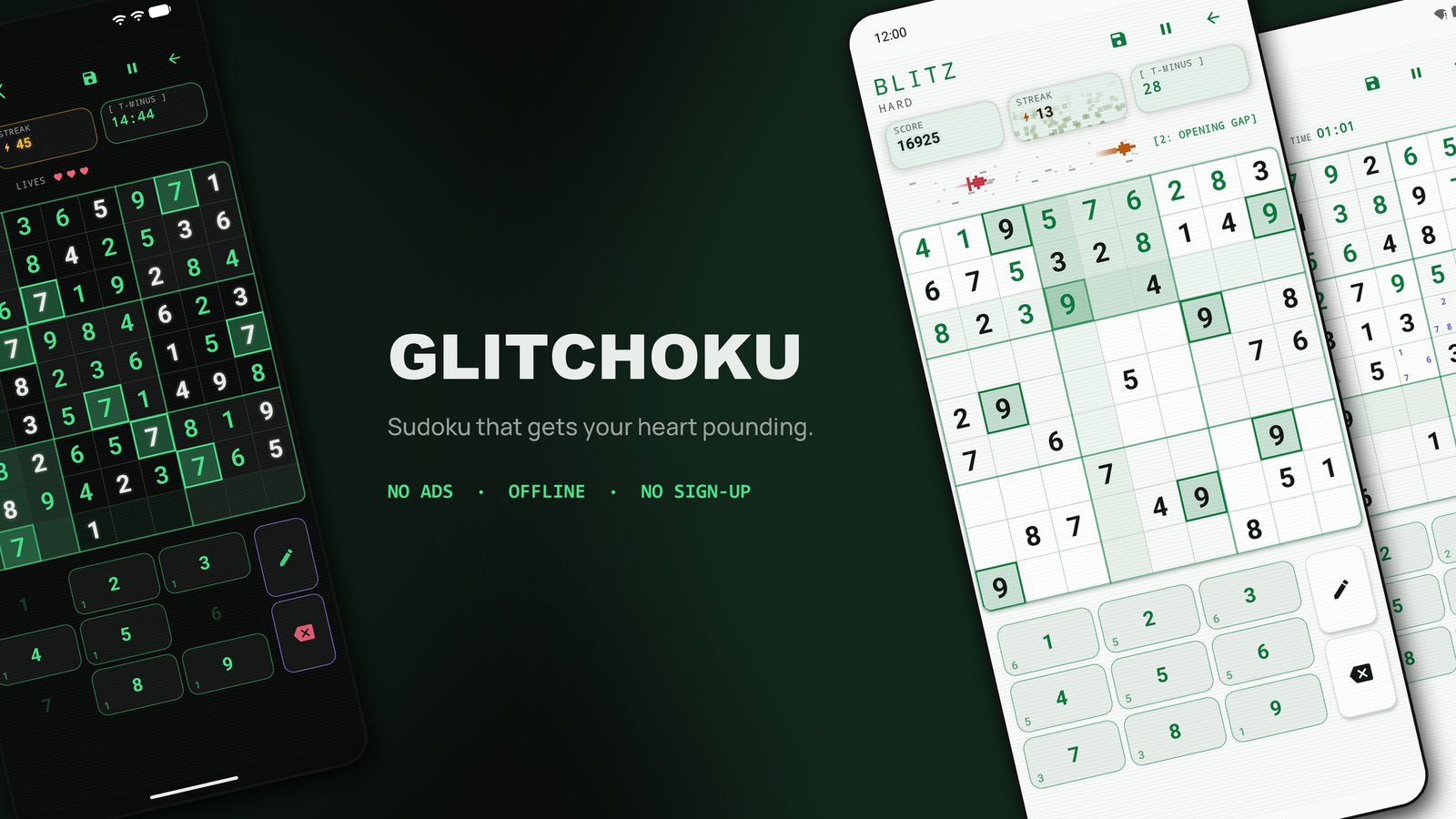
Sudoku is one of the best puzzles ever made. It is also usually very patient with you. Nothing happens if you stare at the same row for ten minutes, and nothing is lost if you wander off to make tea.
Glitchoku changes that. It is our new sudoku game for Android, and it is out now on Google Play. It keeps the same 9×9 grid and the same pure logic, with no luck and no guessing, and every puzzle can be solved by reasoning alone. Then it adds a clock that fights back.
The tagline says it plainly: Sudoku that gets your heart pounding.
It works fully offline, and it has no ads and no sign-up.


Three ways to play
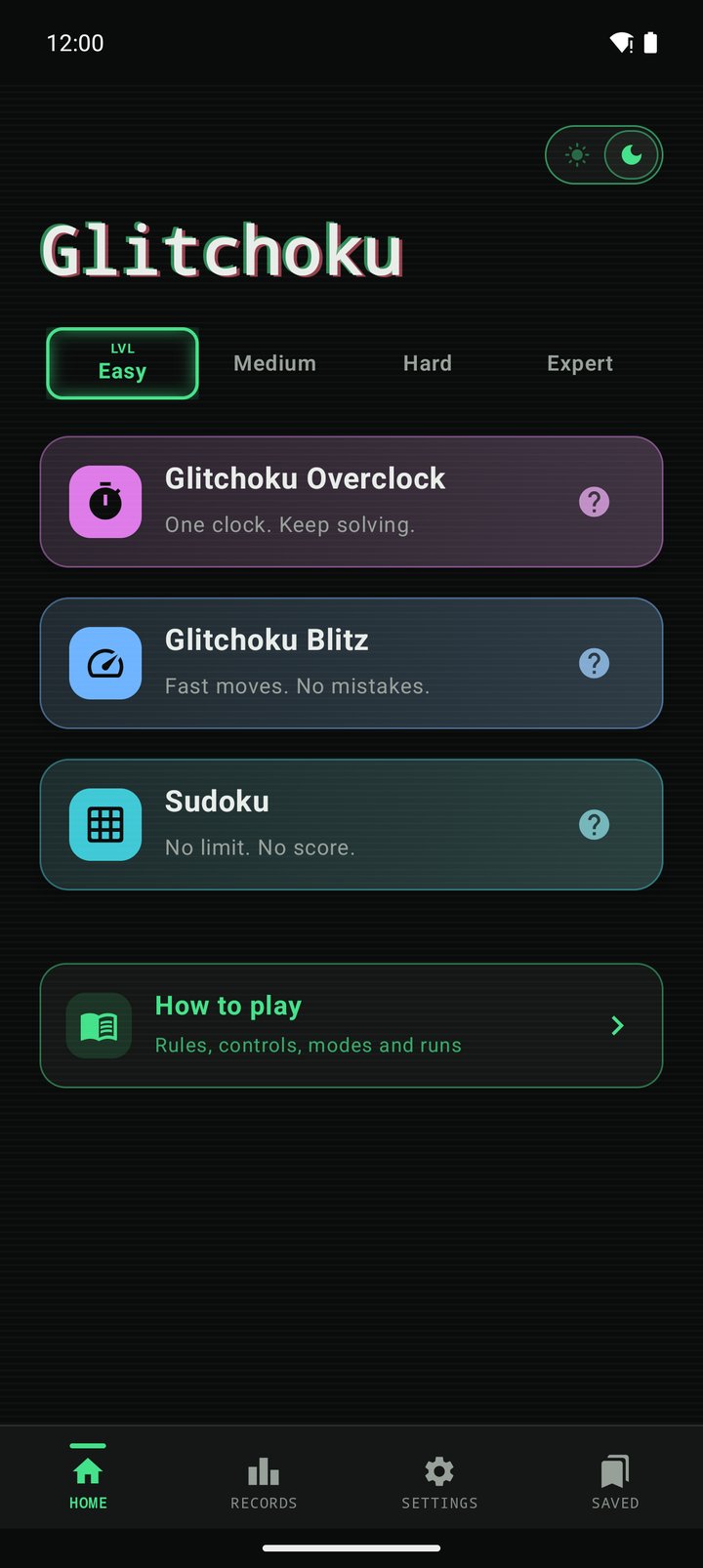
Overclock
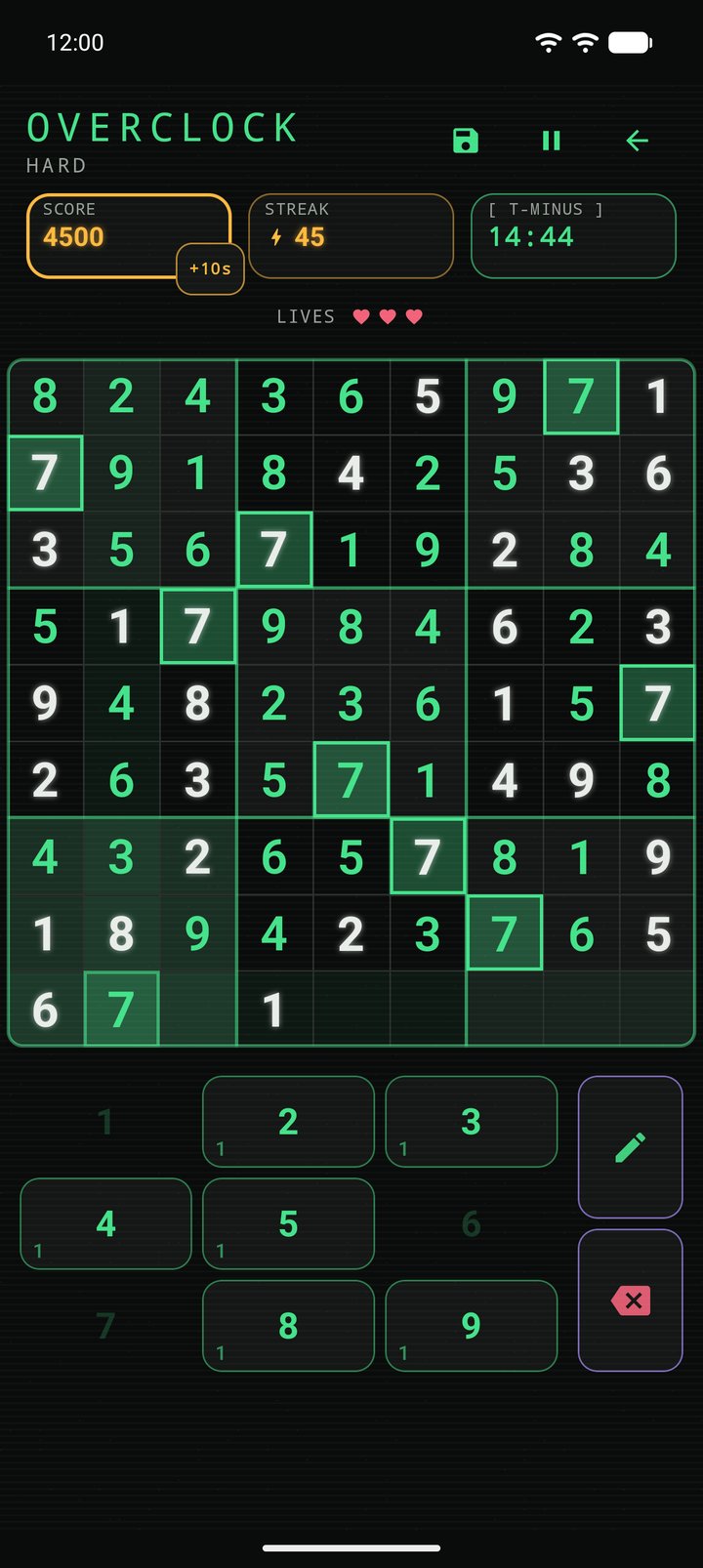
One clock covers the whole board, and it is already running when you start. Every correct digit buys time back, and the faster you solve, the more time each digit is worth. If you beat the break-even pace, the clock climbs instead of draining. Finishing a 3×3 box gives you a big refill. You get three lives, and each wrong digit costs you one.
It turns sudoku into a question of pace: can you keep solving quickly enough to stay ahead of the clock?
Blitz
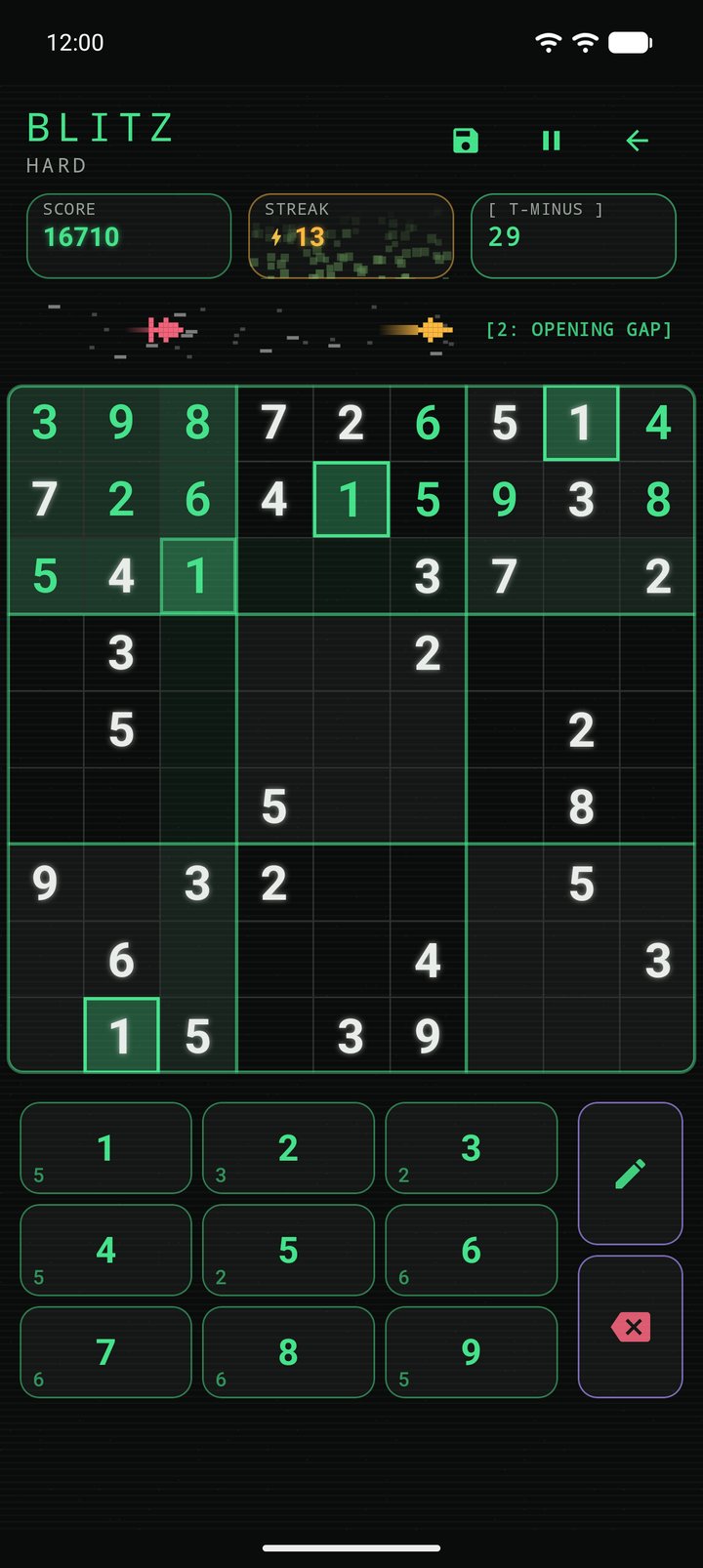
In Blitz you get 30 seconds per move, and something is chasing you. Every mistake and every timeout lets the pursuer close a step. Five correct moves in a row pull you one step clear. If it reaches you, the run is over.
That makes a streak more than points. In Blitz, a streak is how much distance you have between you and the thing behind you.
Classic Sudoku
Sometimes you just want the puzzle. Classic Sudoku has no time limit, no score and no pressure. You get 200 moves of undo and your own best time to beat. You can put a board down for a week and pick it up where you left it.
Our latest update (1.11.0) adds a small clock to this mode. It counts up, it stops when you pause, and it only reports: nothing counts down and nothing runs out. It just shows how a board is going against your best time while there is still time to push.
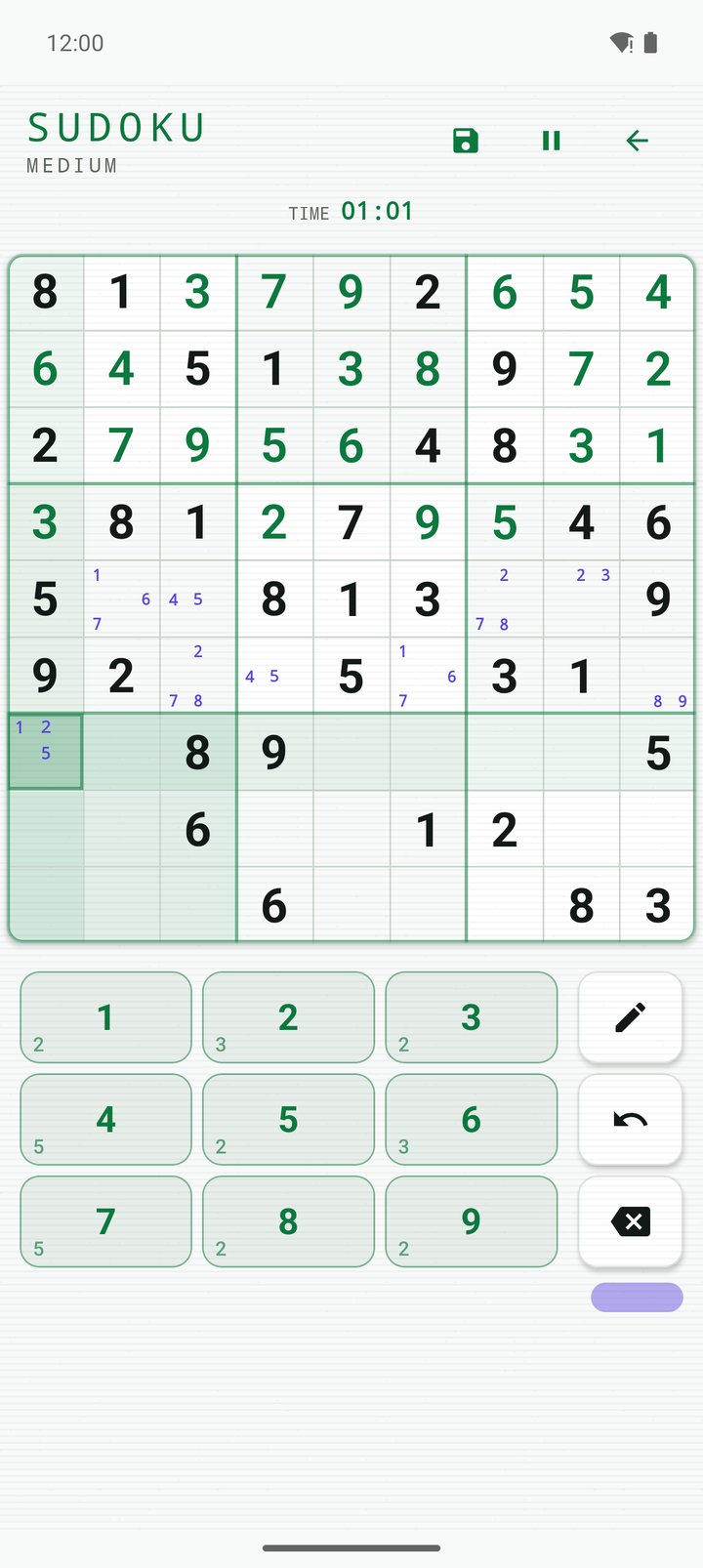
Across the game you will find the tools you would expect: pencil marks, and automatic elimination, so a digit you place is removed from the notes in its row, column and box. What it doesn’t have is hints or an auto-solve button. You finish the board yourself, or nobody does.
Difficulty you can trust
Most sudoku apps set difficulty by counting clues: fewer given digits means “harder”. That turns out to be a weak signal. A sparse board can still be easy, and a fairly full one can be brutal.
Glitchoku sets difficulty by what a board requires you to know. Each tier depends on the hardest solving technique the puzzle truly needs:
- Easy: naked singles, where a cell has only one possible digit left. This is where beginners should start.
- Medium: hidden singles, where a digit has only one possible place in a row, column or box.
- Hard: naked and hidden pairs, pointing pairs, box/line reduction and X-Wing.
- Expert: Swordfish, XY-Wing, simple colouring and forcing chains.
Behind the scenes, a solver works through each board the way a person would. It tries the simplest logic first and only reaches for harder techniques when it gets stuck. The hardest step it has to take decides the tier. Every board is generated fresh on your device and checked to have exactly one solution, so no puzzle is ambiguous and you will never get one you have already solved.
We didn’t get to four tiers on the first try. Along the way the game had five, then three, and we measured the boards each time:
- Five tiers, based on the level of the hardest technique, produced a real Hard board only once in 120 attempts.
- Three tiers, based on how much solving effort a board took, produced every tier. But Easy and Medium turned out to be the same puzzle at two different lengths, and most Hard boards already needed Expert-level patterns.
- Four tiers, based on what each board actually needs, gave us four genuinely different puzzles.
Clue count still plays a small part: harder tiers leave more cells empty, so a harder board also looks harder. But it never decides the tier on its own.
One more thing: Expert isn’t simply a menu option. In each mode it stays locked until you have finished three Hard boards in that mode. You earn it.
Learn the techniques
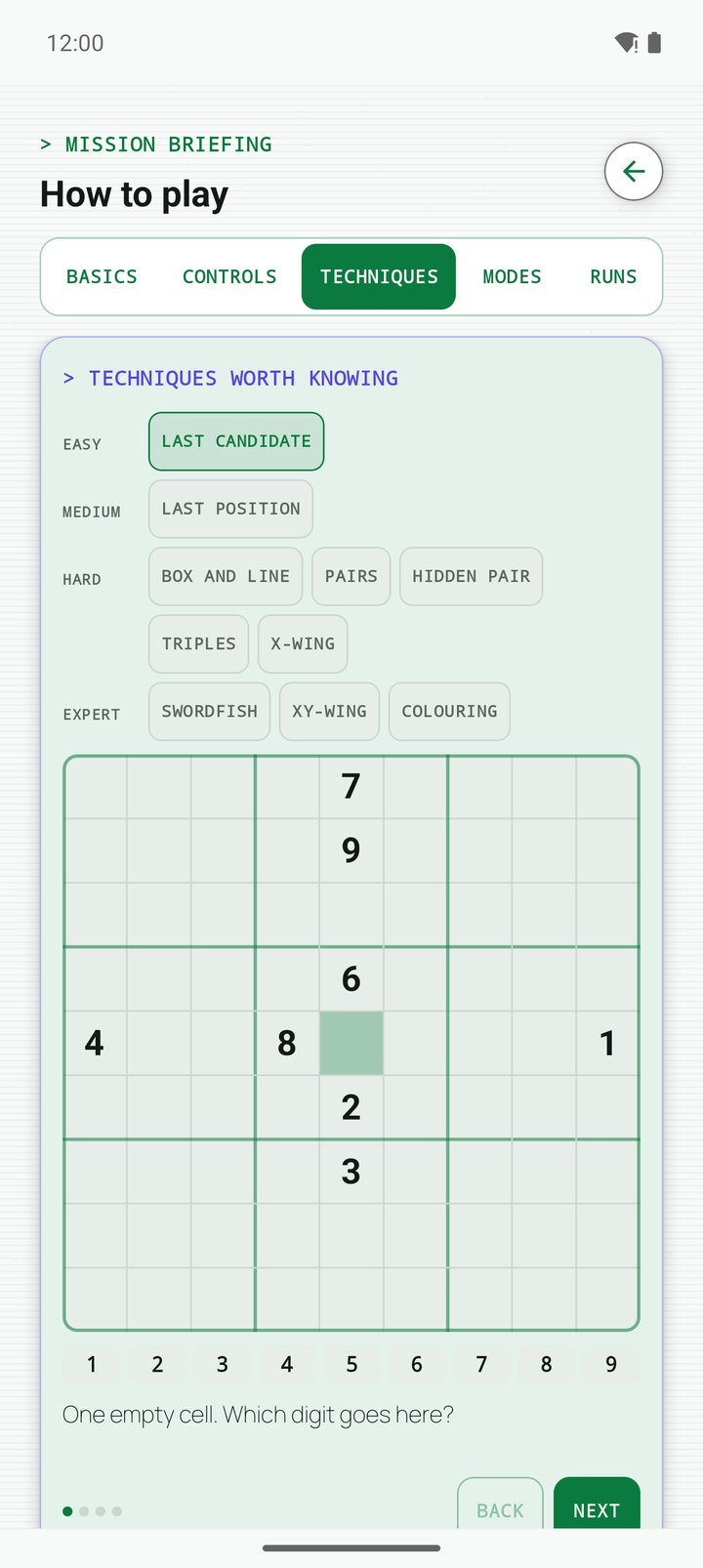
If “X-Wing” sounds like something from a space film, that’s fine. How to Play teaches every technique on a real board, one step at a time. It starts with last position and last candidate, then moves through naked and hidden singles, naked and hidden pairs, naked triples, pointing pairs, box/line reduction, X-Wing, Swordfish, XY-Wing, colouring and chains.
The lessons are interactive. You solve each step yourself instead of scrolling through a wall of text. Once you have learned the techniques, you can solve any sudoku puzzle.
Every run, on record
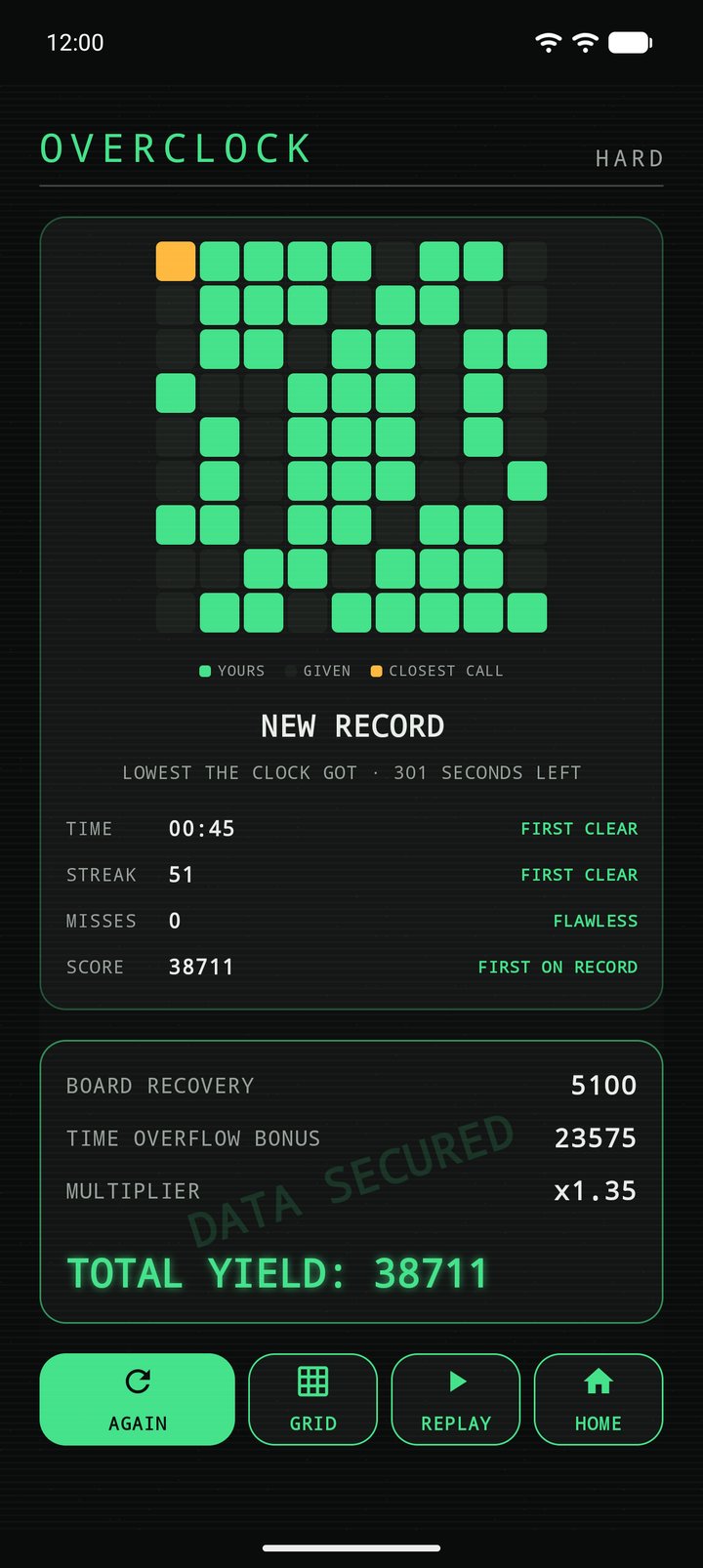
Glitchoku keeps track of your play. It saves your personal bests, a full set of Mission Records, and a move-by-move replay of every run. At the end of each run you get a report showing which cells you filled, your closest call, and whether you set a new record.
Built properly
We wanted Glitchoku to be the sudoku game we would want on our own phones:
- 100% offline. It needs no internet connection, so you can play on a plane, underground, or anywhere without signal.
- No ads. Not one.
- No account. No sign-up and no login.
- No data collected. Your progress, scores and settings are stored only on your device. The game doesn’t send data to us and uses no third-party analytics, advertising or tracking services. Our privacy policy explains the details.
- Comfortable to play. It has dark and light modes, high-contrast palettes and reduce-motion support, and works on phones and tablets in portrait or landscape.
Give it a go
Whether you want a calm puzzle before bed, a five-minute brain workout on your commute, or a truly hard board that punishes one careless guess, Glitchoku has a mode for it.
It is on Google Play now: Get Glitchoku on Google Play.
Nine digits. One grid. No excuses.
You can also visit the product page: Glitchoku.